
Fixed Asset Tracking and Management Software

Fixed Asset Tracking
Managing fixed assets with spreadsheets or paper logs makes it difficult to keep accurate records of where assets are, how they’re used, and who is responsible for them. Organizations need more than financial reporting — they need operational tracking that reflects day‑to‑day activity.
Traditional accounting systems focus on depreciation and financial data, but they don’t show how assets move, change hands, or support work in the field. Panatrack ST fills that gap with cloud‑based, mobile‑ready tracking that captures updates as they happen across the entire asset lifecycle.
With fixed asset software built for operational visibility, teams gain clearer insight, stronger accountability, and better audit readiness. Panatrack ST delivers the accuracy and real‑time awareness organizations expect from modern asset tracking software and cloud‑based asset management.
By adding Panatrack ST to your operations, you will…
Add physical tracking to financial asset management.
Improve asset availability and longevity.
Know the Who, What, and Where — at all times
In this brief 3-minute video, we will show you how Panatrack tracks fixed assets across locations, departments, and teams, whether you’re in the office, overseeing facilities, or working from another location.
Simple, powerful fixed asset tracking — designed for how your team works
What you get with Panatrack
Panatrack is a cloud-based asset tracking solution that keeps your data interconnected and your assets always visible. Accessible from any location on desktop or mobile, it ensures your team stays in control whether in the office, across facilities, or on the go.

Built for Every Team and Workflow
Track and move assets across people, places, and projects with accountability.
Assign custody, define asset types, and manage lifecycle stages from check-out to disposal.
Full Visibility from Desktop or Mobile
Real-time data on location, ownership, and condition.
Update status, location, and custodian using barcode scanning or desktop entry.
Seamless System Integration
Works alongside your existing systems without disruption.
Integrate with accounting or ERP platforms while maintaining operational tracking flexibility.
Purpose-Built Asset Tracking
Replace spreadsheets with lifecycle asset tracking.
Use categories, attributes, and parent-child builds to tailor tracking to your environment.
Gain Visibility and Accountability
Know who has each asset, when it’s due, and its status.
Capture check-out periods, expected return dates, and ownership assignments with full audit history.
Streamline Audits and Notifications
Check-in/out tracking, audit logs, and proactive alerts.
Run validations by custodian or location. Receive alerts for overdue returns and maintenance.

Unlock Reporting and Insights
Prebuilt or custom reports for history, utilization, and ROI.
Generate reports from transaction logs, lifecycle stages, and reconciliation grids.
Prevent Losses and Optimize Allocation
Track asset movement across people and places to prevent loss and ensure efficient usage.
Log every handoff with timestamps, GPS capture, and user accountability. Spot variances and missing items.
Configurability
Tailor Panatrack to your workflows with customizable categories, attributes, and role‑based permissions.
Define item types, manage parent‑child builds, group assets for financial reporting, and control user access.
Adaptable to Every Team and Environment
No matter what assets you manage, Panatrack supports fixed asset tracking across a wide range of industries and operating environments. From classrooms to and IT networks to job sites, our platform makes it easier to stay compliant, reduce losses, and keep teams ready.
Education
IT Assets
Job Sites
How Panatrack Works for Fixed Asset Management
Item Categories
Define how different types of items are tracked with categories. Define rules and data to capture for each type of item. Identify assets versus inventory type items.
Unlimited Attributes
Customizable fields are available for configuration and assignment to items and transactions. Add flexibility to identify when the field is accessible, required, optional, or displayed.
Advanced Grid Views
Access information and details from customizable grid views with filtering capabilities. Quickly change the sort order to find what you need.
Forms and Checklists
Set up checklists and forms for maintenance and place-in-service activities. Define information to capture based on transactions.
Signature Capture
Capture signatures on transactions to add accountability.
Custody and Ownership
Track beyond location with custody and ownership assignments. Create accountability to better manage your inventory and assets.
Track Location
Know the location of assets when managing them. Define staging areas and storage areas to keep your assets organized.
Check Out
Check out fixed assets and consumables. Capture a check-out period or expected return date. Signature capture adds accountability.
Check In
Easily record check ins with the option to assign a status and condition. Get notified of upcoming and past due maintenance.
Place In Service
Improve the management of assets that require configuration and setup prior to being available to check out or deploy. Add checklists and capture additional information to make sure proper setup has been completed.
Deploy Assets
For stationary assets or assets located at an external location, easily manage location and status.
Maintenance Tracking
Set up maintenance schedules to keep all assets in operating condition. Record unscheduled maintenance activities, define work orders and record parts used.
Audits and Validations
Complete periodic audits to validate location and custody of your assets and inventory. Monitor last validations dates to help determine lost assets. Easily transfer and move assets found out of place.
Parent-Child Relationships
Assign parent-child relationships using the Unit Build features or movable containers. Create kits or manage equipment builds.
Receiving and Adds
Easily add new assets to the system. Track items by unique asset tag, serial number, or by a quantity. Utilize purchase orders and PO Receiving.
Grouping for Financial Reporting
Group assets for association to a financial asset record for reporting and audits.
Retire and Disposal
Track retirement dates and capture additional details when assets are disposed.
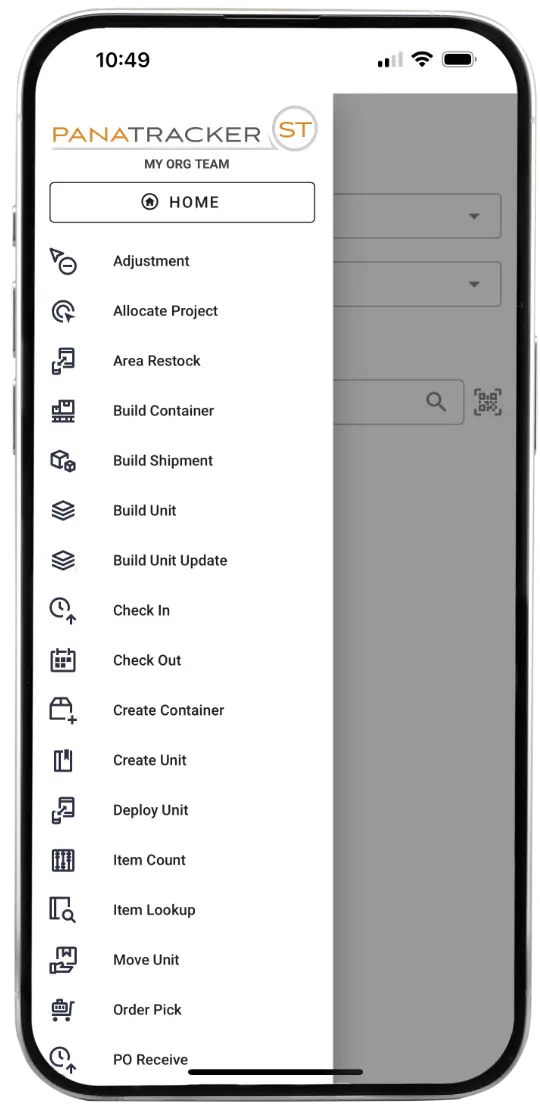
iOS and Android Apps
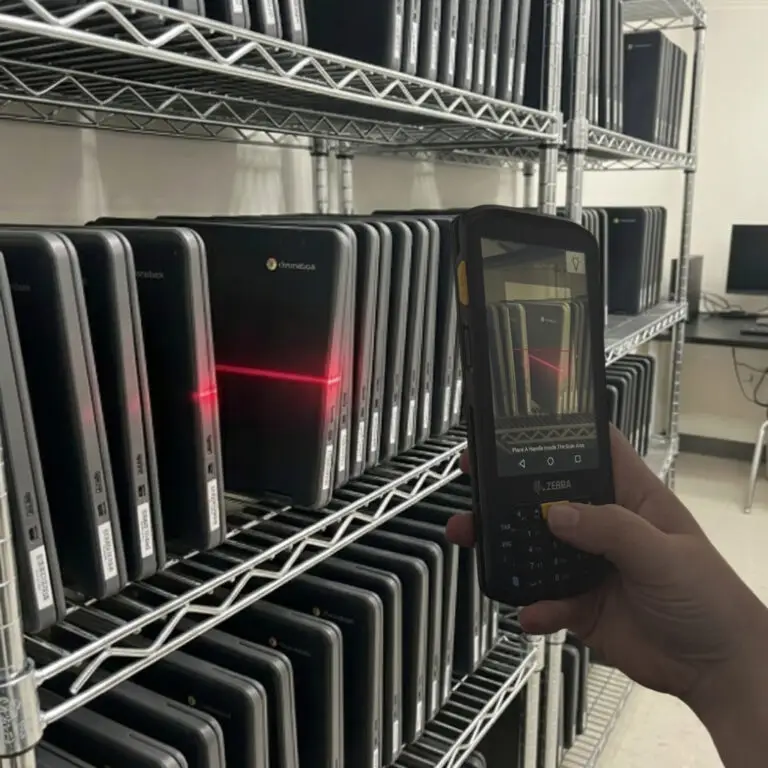
The mobile app is available on both iOS and Android. Use your phone, tablet, or a dedicated device with barcode scanning.
Scan First
Look up information with ease using Scan First. Find available quantities, location, custodian, and unit details. Look up what items are in an area location.
Barcode Scanning Support
Utilize your phone's camera or use the device barcode scanner to quickly record transactions.
Single Login for Mobile and Desktop
Log into the mobile app and to the browser interface using the same login credentials.
Role-Based Access
Assign users roles to tailor what transactions they can complete for each team they are a member of.
GPS Capture
Capture the GPS coordinates based on each transaction completed using the mobile app.
SOC 2 Certified
Panatrack holds SOC 2 Type II certification, providing an additional level of security and assurance
User Roles and Permissions
Assign organization roles for administrative features to each user. Define team roles based on each user's job responsibilities.
Transaction Logging
All transaction activity is logged to provide visibility of who completed the transactions and when.
Flexible Attributes
Utilization of attributes support compliance tracking such as warranty end dates, disposal reasons, and inspection details.
Ready to organize assets across every team and location?
Chain of Custody: Full Accountability at Every Step
Panatrack captures every movement — who, what, when, where, and how — so your crews stay accountable, and your inventory stays audit-ready.

- Track every asset by tag, serial, or ID.
- Log each handoff with user accountability.
- Capture timestamps for every transaction.
- Record locations across teams, sites, and projects.
- Define transaction types like check-out, transfer, return, or retirement.
- Generate full history for audits, compliance, and loss prevention.
With every handoff tracked and every crew accountable, Panatrack doesn’t just show where your assets are. It shows where they’ve been and where they’re headed next.
Want to go deeper? See how chain-of-custody tracking works in Panatrack ST.
Fixed Asset Lifecycle Management
See what your process could look like with a system that follows your assets through every stage. Track each stage of your assets from tagging and deployment to maintenance and disposal with full visibility.
Tag and Add Assets
Add barcode tags to high-value assets as they are received to take advantage of barcode data capture.
Check Out and Deploy
Check out circulating assets to add accountability. Deploy stationary assets. Complete transfers when needed. Record returns with the check in transaction.
Transfer and Reassign
Easily transfer assets between locations, teams, or individuals. Maintain full visibility and a complete history every step of the way.
Validate and Count
Set up audit schedules or complete ad hoc validation and counts based on area or custodian assignments. Access audit grid views and reports.
Maintain and Service
Schedule preventive maintenance and track service events. Record parts, costs, and service history for every asset.
Retire and Dispose
Flag assets as retired or disposed to complete the lifecycle. Maintain clean, accurate records that preserve the audit trail.
Frequently Asked Questions
How does fixed asset tracking work across multiple teams and locations?
We’ve been using spreadsheets. Why change to Panatrack ST?
Spreadsheets can’t provide centralized access or real-time updates. They are prone to errors and often lack audit trails. Panatrack delivers:
- Real-time updates across all teams.
- Transaction validation and audit trails for compliance.
- Mobile and desktop access for quick updates.
- Barcode scanning to reduce manual entry errors.
How is Panatrack different from the software systems we already use?
How quickly can teams start using Panatrack?
Can Panatrack track assets across multiple teams, departments, and locations?
Can this software track parts and supplies in addition to fixed assets?
Yes. Panatrack also tracks inventory items such as supplies, consumables, and parts, giving you a complete picture of your organization’s resources in one platform.
Can Panatrack work with existing accounting or ERP systems?
How does Panatrack support fixed asset audits and validations?
Panatrack includes features for routine asset audits and physical validations, giving you reliable records of where assets are located, who has custody, and when they were last verified. Check-in/out logs, audit trails, and validation dates help identify missing or misplaced assets, maintain accurate records for financial reporting, and streamline periodic checks without relying on spreadsheets.
Ready for answers tailored to your team?
See how Panatrack keeps your assets accounted for and easy to manage.


Take Control of Your Fixed Assets
Stop wasting time on spreadsheets and missing items. With Panatrack, you get complete lifecycle visibility and full accountability—every asset, every transaction, every location.
Fixed Asset Inventory Management Resources
Explore our curated collection of insightful articles covering a range of topics that align with your interests and needs. Delve into expert perspectives, practical advice, and thought-provoking discussions designed to inform and inspire.

The Remote Revolution: Why IT Asset and Inventory Tracking is Critical for Modern Businesses
With remote and hybrid work on the rise, managing IT assets has never been more important. Discover how Panatrack’s IT asset tracking software provides businesses with visibility, security, and cost savings. Track laptops, monitors, and other devices with ease, ensure compliance, and boost efficiency—all while reducing downtime and improving productivity. Learn why IT asset tracking is critical for modern businesses in the digital age.

Why Asset Management Software Is Needed by Life Science and Laboratory Operations
Struggling to keep track of lab equipment and supplies? Discover how asset management software can streamline your operations, reduce downtime, and cut costs. From inventory management to maintenance scheduling, find out how this powerful tool can boost efficiency and ensure accountability in your lab.
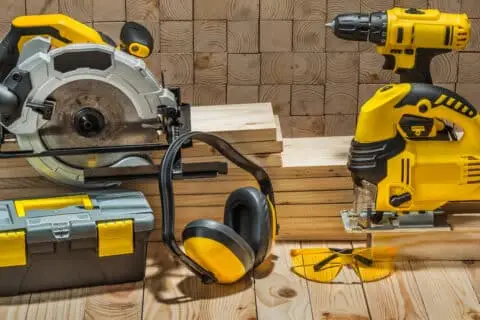
Tools at your Fingertips: How a Software for Tracking Tools can Revolutionize Your Tool Management System
Unlock the potential of advanced tracking software to streamline your tool management and revolutionize your operations. In this article, we explore how integrating cutting-edge technology, like Panatrack’s tool tracking system, can transform the way you manage tools and equipment across various industries, enhancing efficiency and accountability.